
Vendor Scorecard Excel Template
Vendor Scorecard Excel Template. Assess your sellers under multi categories. Vendor comparison spreadsheet. Clean design. Editable and printable.
TEMPLATE DESCRIPTION
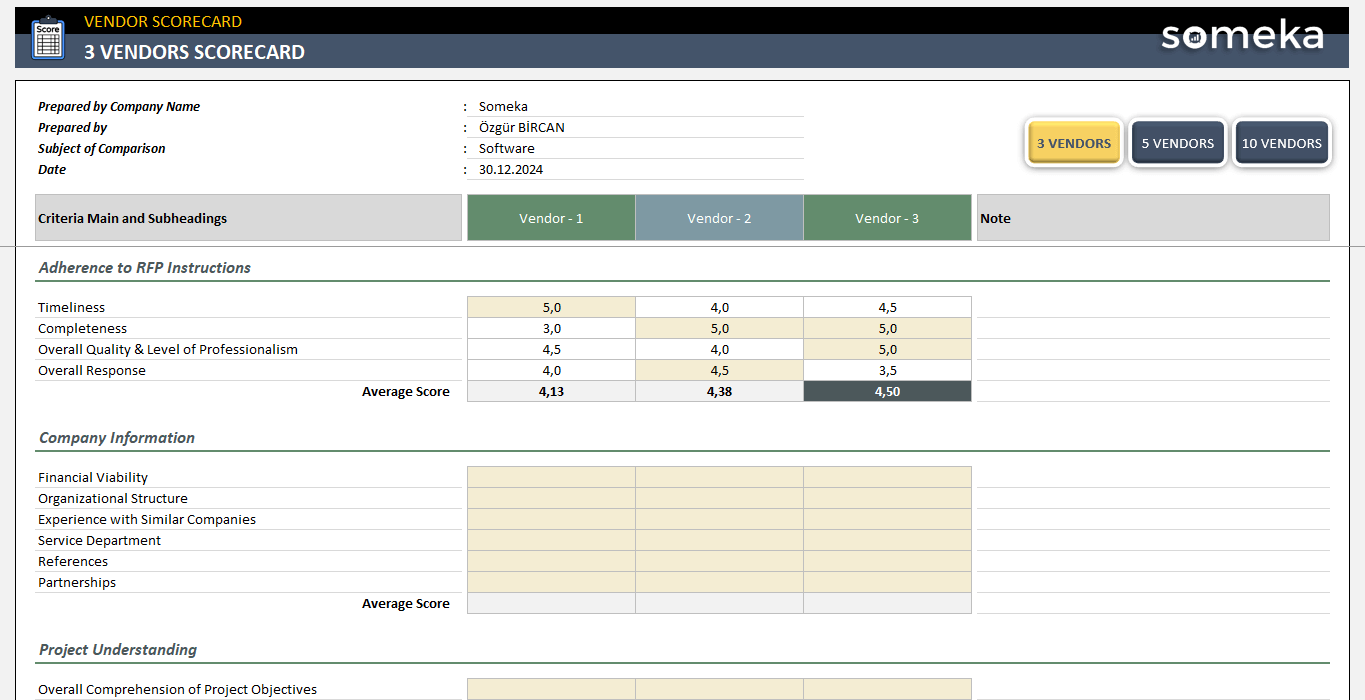
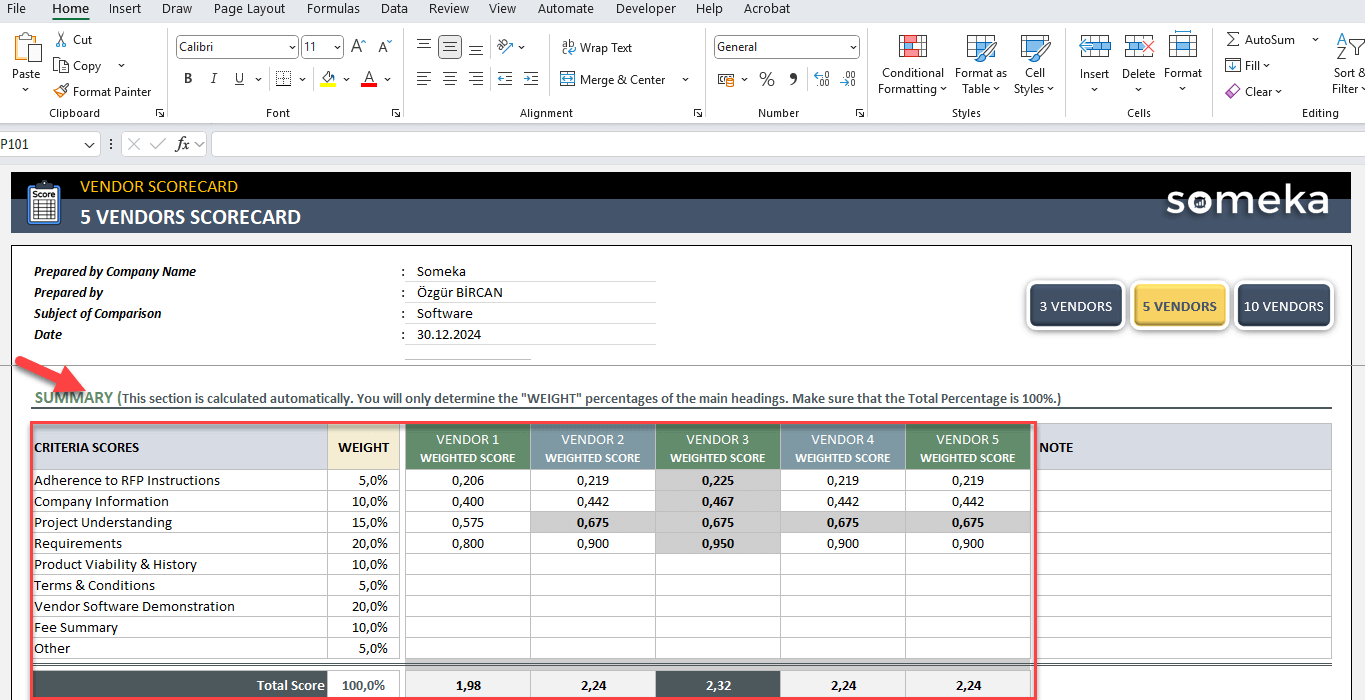
Here’s our Vendor Scorecard Excel Template to evaluate your sellers across multiple criteria! This spreadsheet will help you to rate your vendors and make comparisons according to different criteria and sub -criteria.

Chiefly, this vendor scorecard will help you to:
- List your main criteria and defining sub headers
- Rate your vendors
- Make overall comparison with weighted averages
How to use Vendor Scorecard Excel Template?
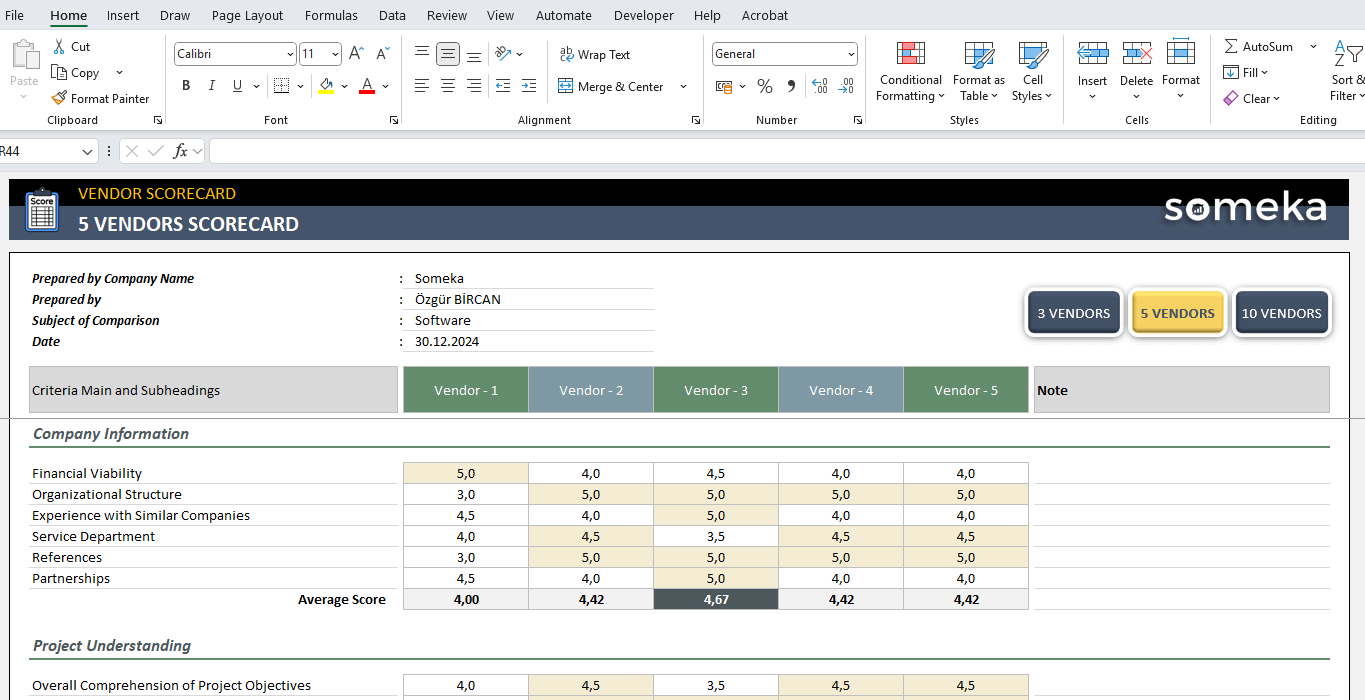
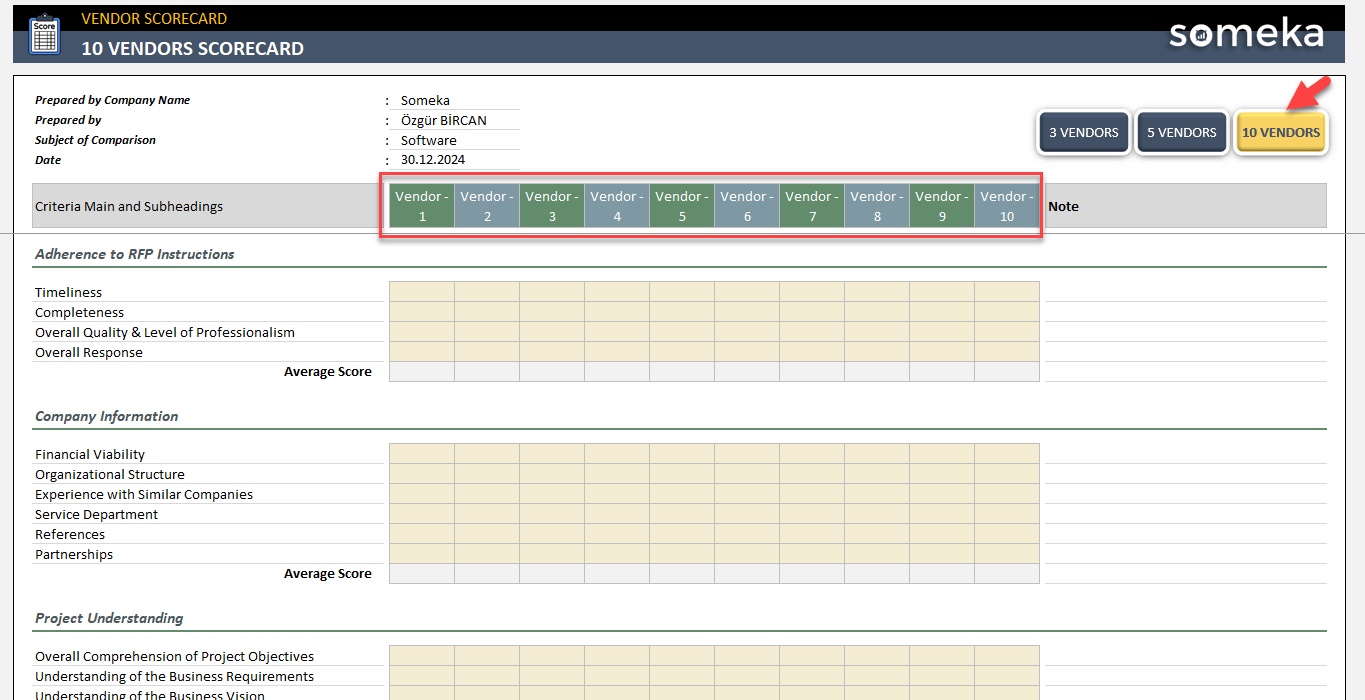
Above all, this is a very simple spreadsheet that you can easily assess your sellers. There are three different comparison sheets according to the number of vendors to evaluate:
You can either select 3 Vendors or 5 Vendors or 10 Vendors.
a. Main Vendor Comparison Information
Then, on the upper section of the sheet you’ll see an information card to fill in with very basic information, such as company name, evaluator name, subject of comparison and date.
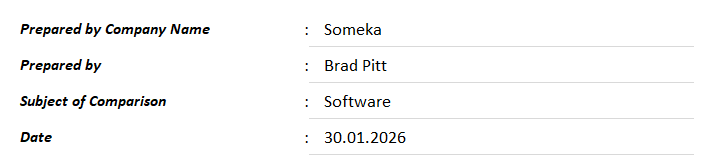
This section is mostly an introduction for your Excel Vendor Scorecard Template.
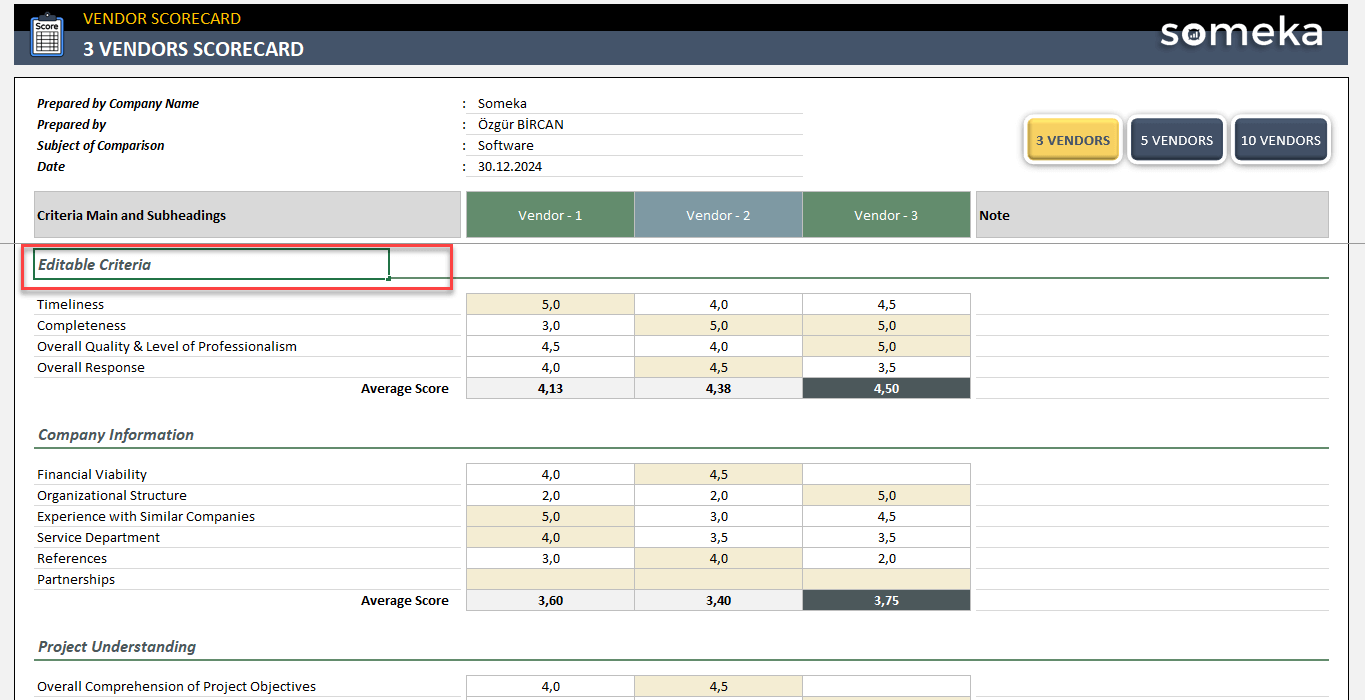
b. Editing Criteria of Assessment
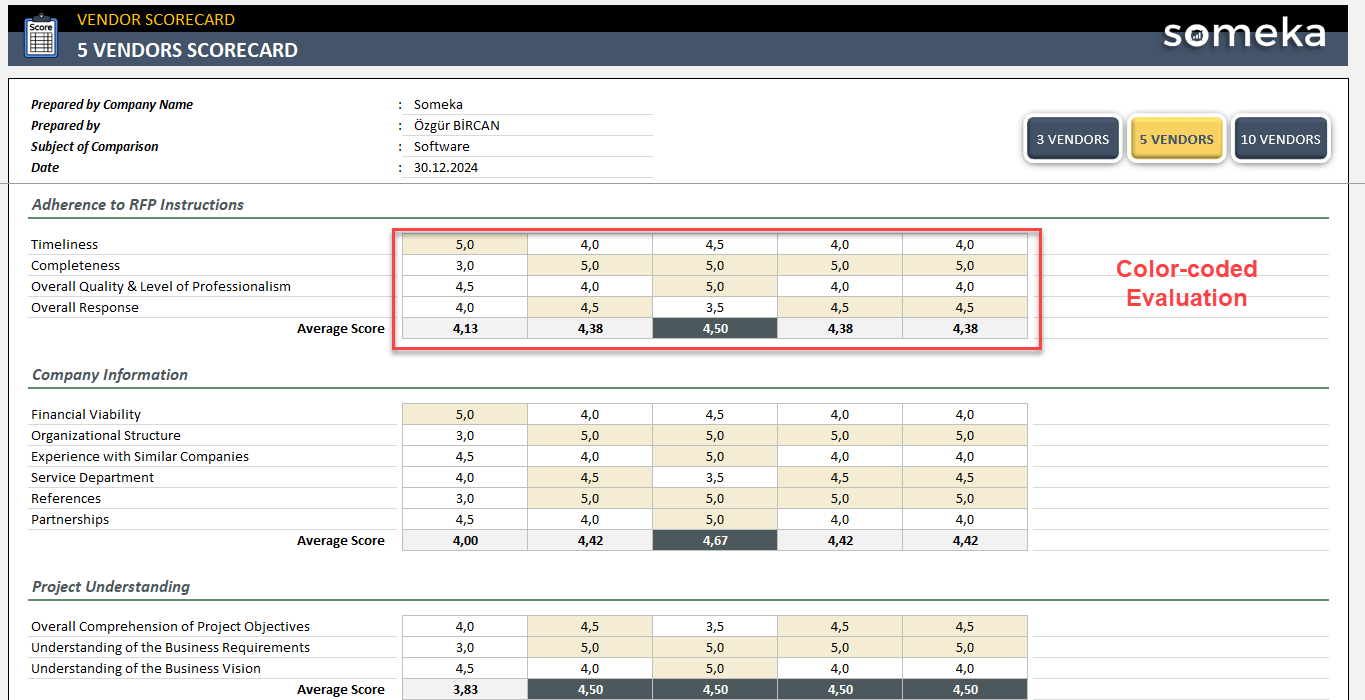
Secondly, you’ll see the assessment criteria with sub-headings for different key performance metrics (KPI).

This is the main area to complete your evaluation for vendors.
c. Rating the Vendors
Then, you’ll just rate your suppliers according to each criteria in your Excel Vendor Scorecard Template.
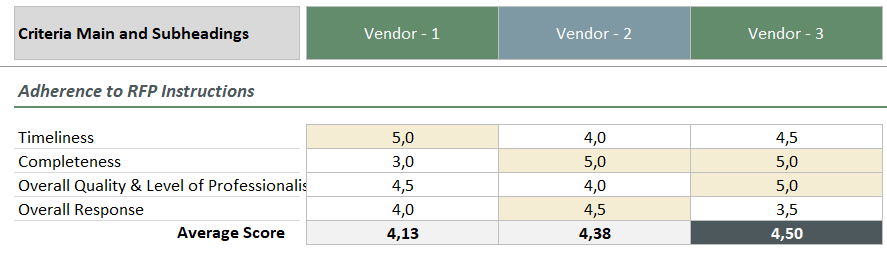
So, you’ve now numbers for each sub-category and main category for the evaluation of your sellers.
d. Summary
Once your vendor assessment is complete, then you can see the overall summary at the end of the sheet. Please do not forget to add weight percentages for each main category of assessment. Consequently, you’ll have a weighted average for each criteria.
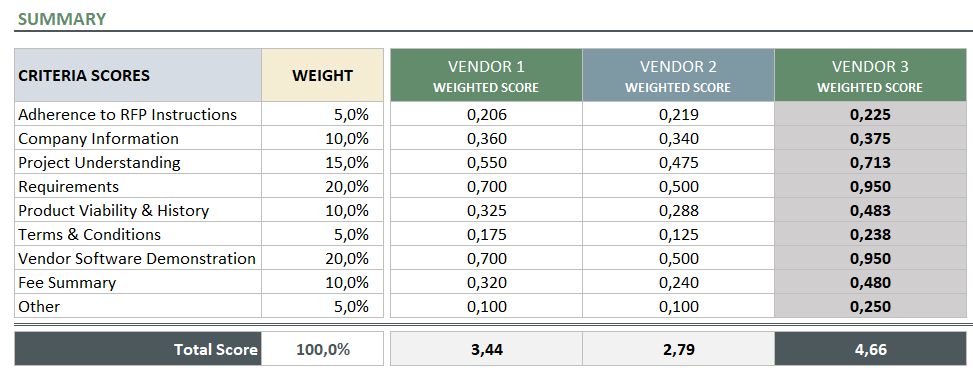
That’s all! You can repeat your comparisons with fresh files or switch between 3, 5 or 10-vendor comparison sheets.
In competitive business environment, vendor performance directly impacts your operational efficiency, product quality, and bottom line.
So, this Excel template offers a framework to assess vendors objectively using quantifiable metrics such as quality, delivery timeliness, pricing competitiveness, responsiveness, and compliance.
Vendor Scorecard Excel Template Features Summary:
- Simple scorecard to evaluate vendors
- All-in-one Excel template for seller comparison
- Cumulative summary included
- Also, flexible and customizable
- Printable and editable criteria
- No installation, no setup
- Works both on Mac and Windows
- Compatible with Excel 2007 and later versions
- Does not include any VBA macros
FREQUENTLY ASKED QUESTIONS
Vendor Scorecard Excel Template Product FAQ
A vendor scorecard is a systematic evaluation tool that measures supplier performance against predefined criteria such as quality, delivery, cost, and service. You need one to make objective decisions about which vendors to continue working with, identify areas where suppliers need improvement, negotiate better terms, and mitigate supply chain risks.
Without a scorecard, vendor decisions become subjective and potentially costly, leading to inconsistent supplier relationships and missed opportunities for optimization.
To create a vendor scorecard in Excel:
- Start by identifying key performance indicators relevant to your business, such as on-time delivery, defect rates, pricing, and responsiveness.
- Create columns for each criterion and assign weight percentages based on importance.
- Add rows for each vendor and use formulas to calculate weighted scores automatically.
- Include visual elements like conditional formatting or charts to highlight performance levels.
- The template should allow for multiple rating periods so you can track trends over time.
Essential criteria include quality (defect rates, accuracy, consistency), delivery performance (on-time delivery, lead times, order accuracy), cost competitiveness (pricing, payment terms, total cost of ownership), communication and responsiveness, compliance with contracts and regulations, innovation and continuous improvement efforts, financial stability, and customer service.
The specific criteria should align with your business priorities. For example, a manufacturing company might heavily weight quality and delivery, while a service organization might prioritize responsiveness and expertise.
So our template provides you editable criteria sections so that you can use your own business metrics:
A typical rating system uses a scale of 1-5 or 1-10, where higher numbers indicate better performance.
Many organizations use:
- 5 (Exceptional)
- 4 (Exceeds Expectations)
- 3 (Meets Expectations)
- 2 (Needs Improvement)
- 1 (Unacceptable)
Some prefer percentage-based systems where 90-100% is excellent, 80-89% is good, 70-79% is acceptable, and below 70% requires action. The key is consistency and clear definitions for each rating level so evaluators score vendors uniformly across your organization.
USER REVIEWS & COMMENTS
You must be logged in to post a review.
RELATED TEMPLATES
-
 This product has multiple variants. The options may be chosen on the product page
Excel CRM Template
$39.95 – $79.95Easy-to-use yet powerful CRM Template in Excel. Track your tasks, customers, meetings with a kanban dashboard and calendar. Works in Mac & Windows.
-
This product has multiple variants. The options may be chosen on the product page
Mail Merge and Email Sender Excel Template
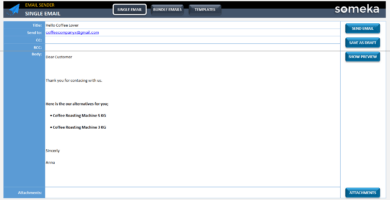
$29.95 – $59.95This Mail Merge & Email Sender Template in Excel will help you to create a single message or bulk emails and send them via Outlook with VBA.
-
This product has multiple variants. The options may be chosen on the product page
Excel ERP Template
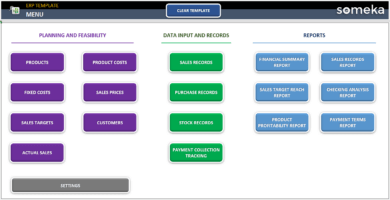
$99.95 – $199.95ERP spreadsheet template as a mini ERP application in Excel. Simple yet powerful. Manage your processes, see projections and calculate financials.
-
This product has multiple variants. The options may be chosen on the product page
Customer Follow Up Sheet in Excel
$29.95 – $59.95Lead tracking has never been easier! Customer follow up sheet is an easy-to-use Excel spreadsheet template to record & monitor key prospect data.
-
This product has multiple variants. The options may be chosen on the product page
Competitor Analysis Excel Template
$29.95 – $59.95Simple yet effective competitive analysis template in Excel. Analyze your competitor profiles in your market niche. Printable & ready-to-use spreadsheet.
-
This product has multiple variants. The options may be chosen on the product page
CRM KPI Dashboard Excel Template
$39.95 – $79.95KPI spreadsheet for customer relations. Track your key metrics with monthly and cumulative analysis. Printable dashboard with charts. All in Excel.
Reviews
There are no reviews yet.