
Client Onboarding Workflow Excel Template
Client Onboarding Excel Template. Organize and track customer orientation workflow in a single spreadsheet. Clean design. Editable and ready to use.
TEMPLATE DESCRIPTION
Trying to organize your customer orientation processes? Here’s our Client Onboarding Excel Template to assist you. This spreadsheet will provide you a client onboarding framework with checklists, tables and summary charts.

This Excel Template will help you:
- Track each customer’s onboarding stages
- Track tasks for each client with checklists
- Keep all customer information in one place
- Analyze and present customer management workflow
- Manage client adaptation processes
How to use Client Onboarding Excel Template?
Firstly, this spreadsheet includes four main sections:
- Menu
- Client Page
- Task Tracker
- Summary
Let’s look closer to each page.
1. Menu
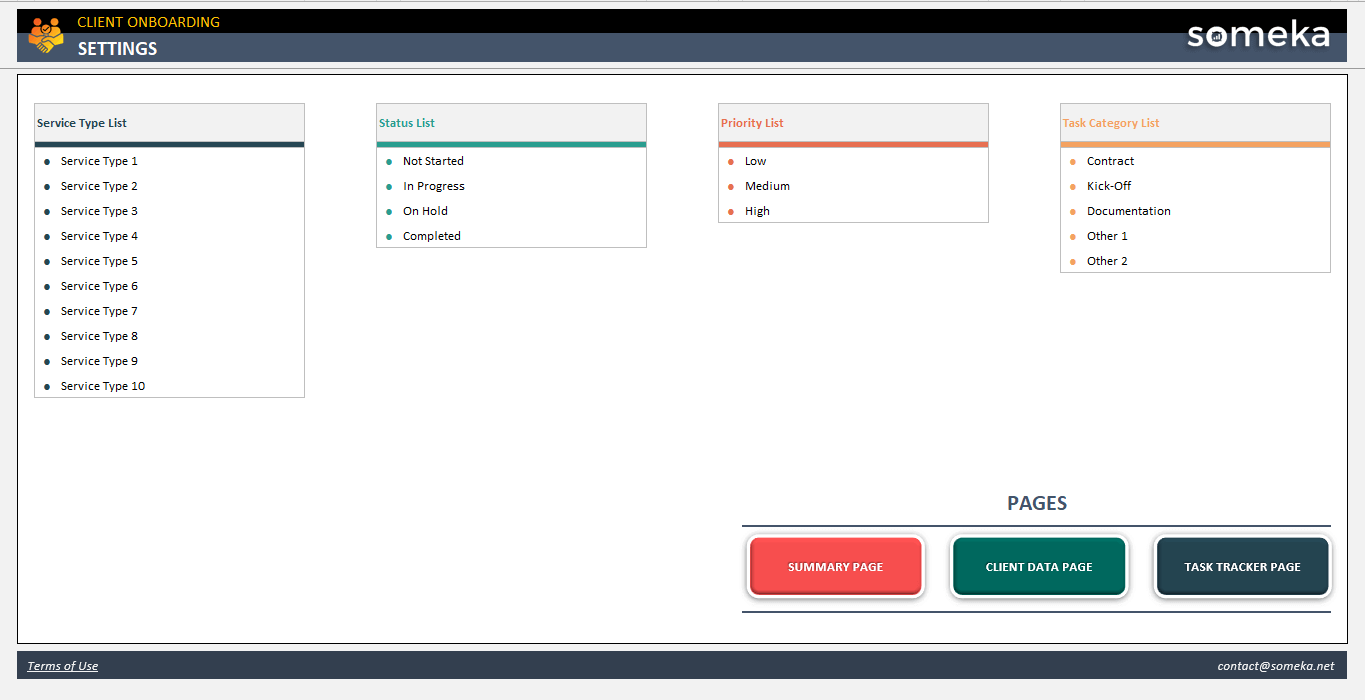
Basically, the main section includes dropdown settings for your template.
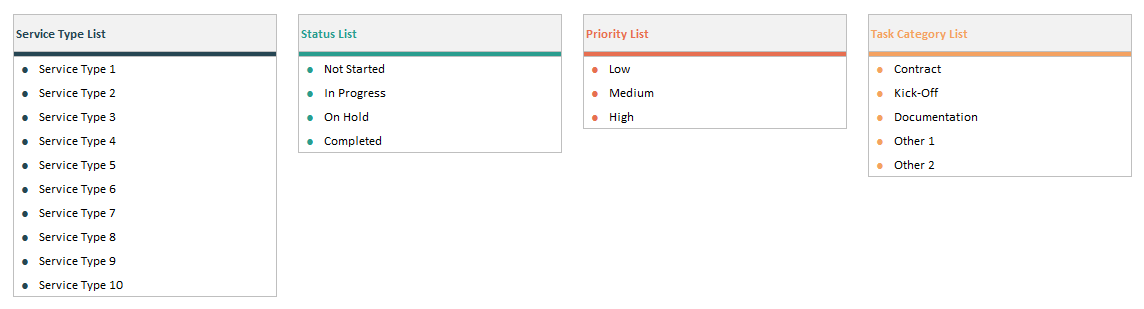
So, please start with completing your services type, status, priority and task category lists. These values will help you customize your template.
Also, on the menu sheet, you’ll find navigation buttons for the other pages of the Client Onboarding Excel Template.
2. Client Data Page
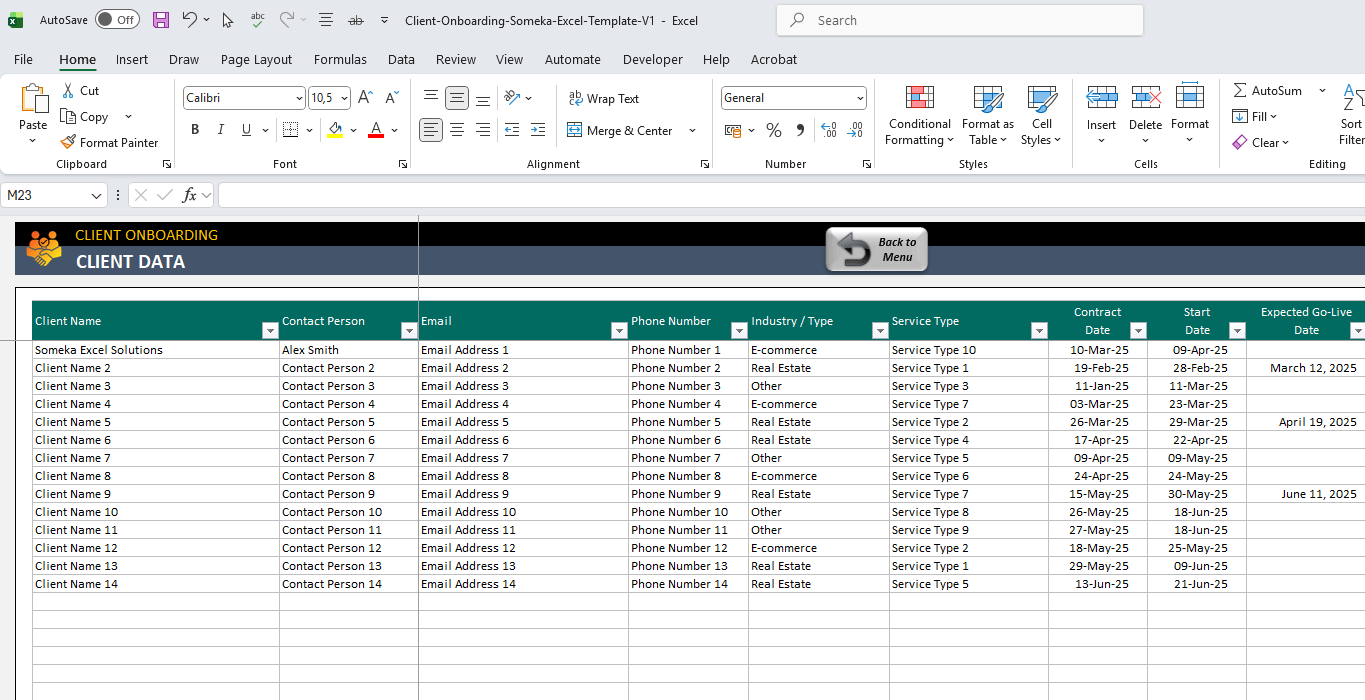
Explicitly, this is an information table for your customers.
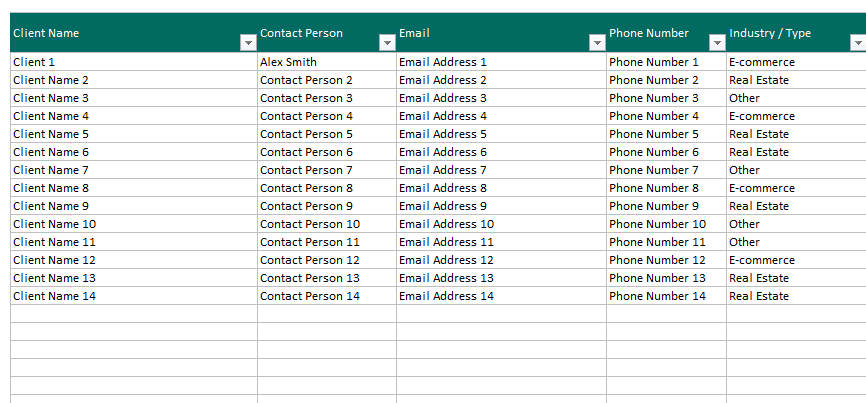
You’ll add your customers with:
- Contact person
- Email address
- Phone number
- Industry Type
Also, you will add onboarding process info such as:
- Contact date
- Start Date
- Expected G-Live Date
- Assigned team member
- Additional notes
The customer information here will be used all across the template.
2. Task Tracker
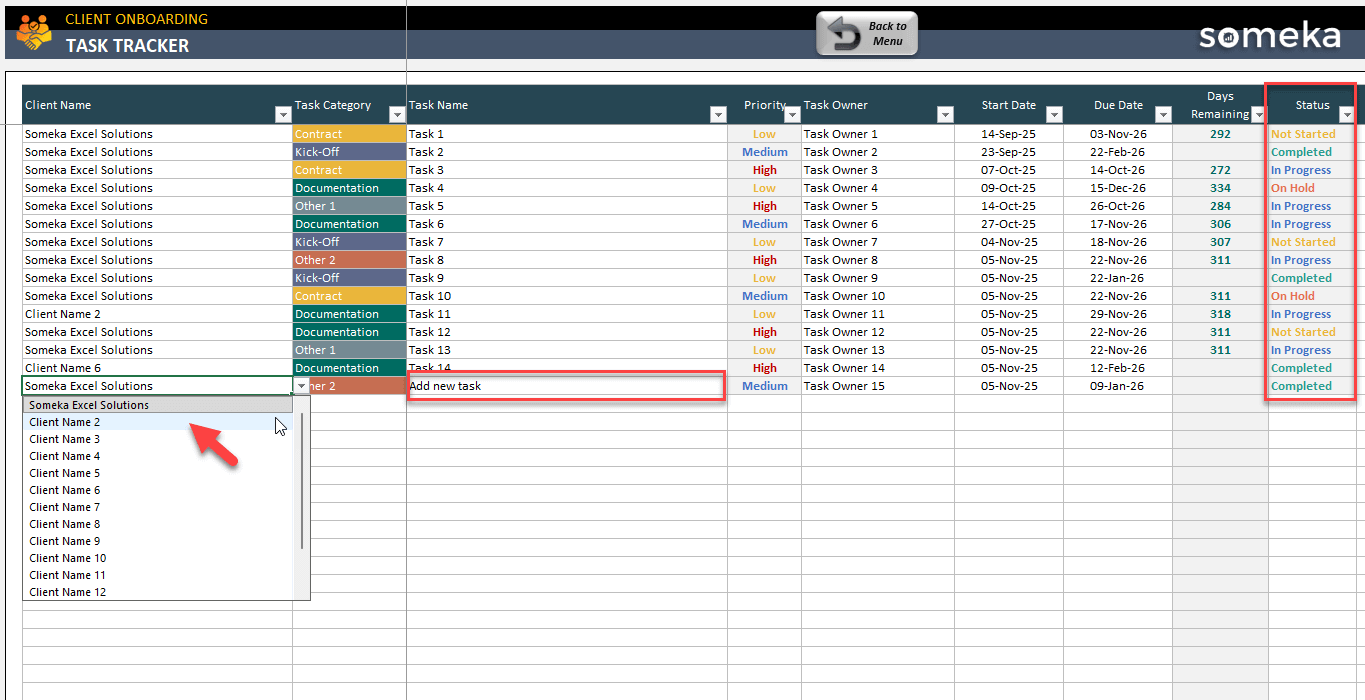
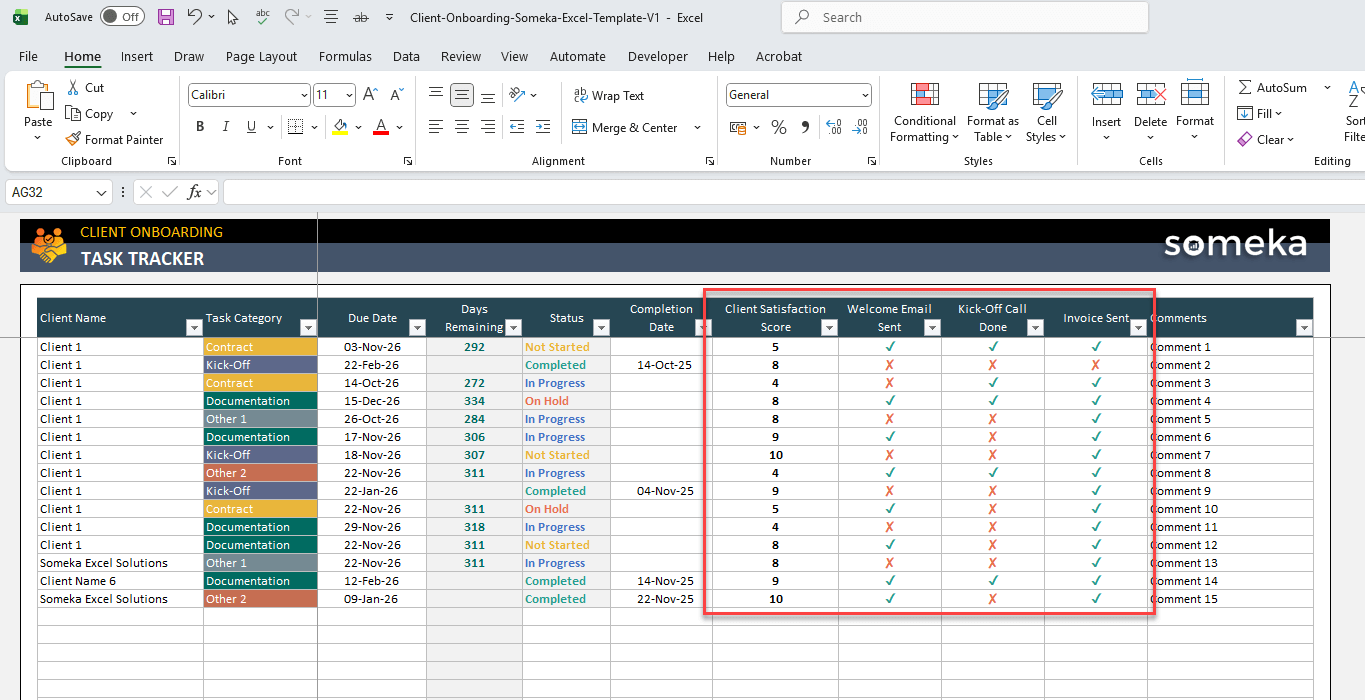
Indeed, this is the core tracker section of your client onboarding Excel template. Because you’ll add all the orientation tasks here to ensure a healthy customer adaptation process.
Firstly, select the customer from dropdown menu and add your tasks with relevant categories. Then, define the priority and the task owner. Afterwards, you will add start date and due day for each task. So, the template will automatically calculate the Remaining Day number for each tasks. Furthermore, you may track the Status of your tasks with dropdown menus:
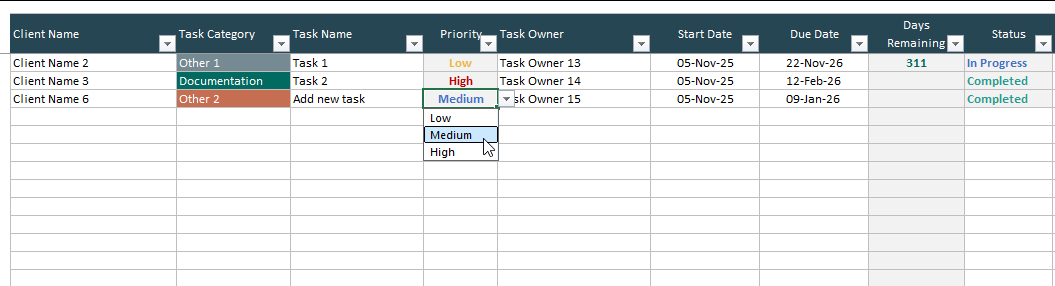
Please remember that you can edit your Priority or Status dropdown lists on the Menu section.
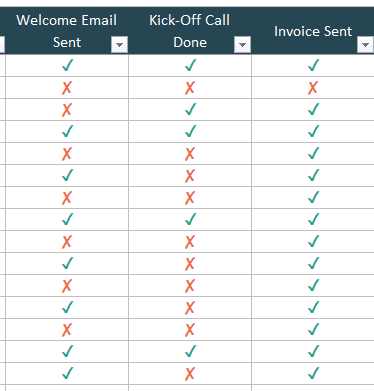
Again, on the Task Tracker you’ll have onboarding checklists for Welcome Emails, Kick-off calls, and Invoice sending actions. You may also add Client Satisfaction score to assess your client onboarding activities.
3. Summary
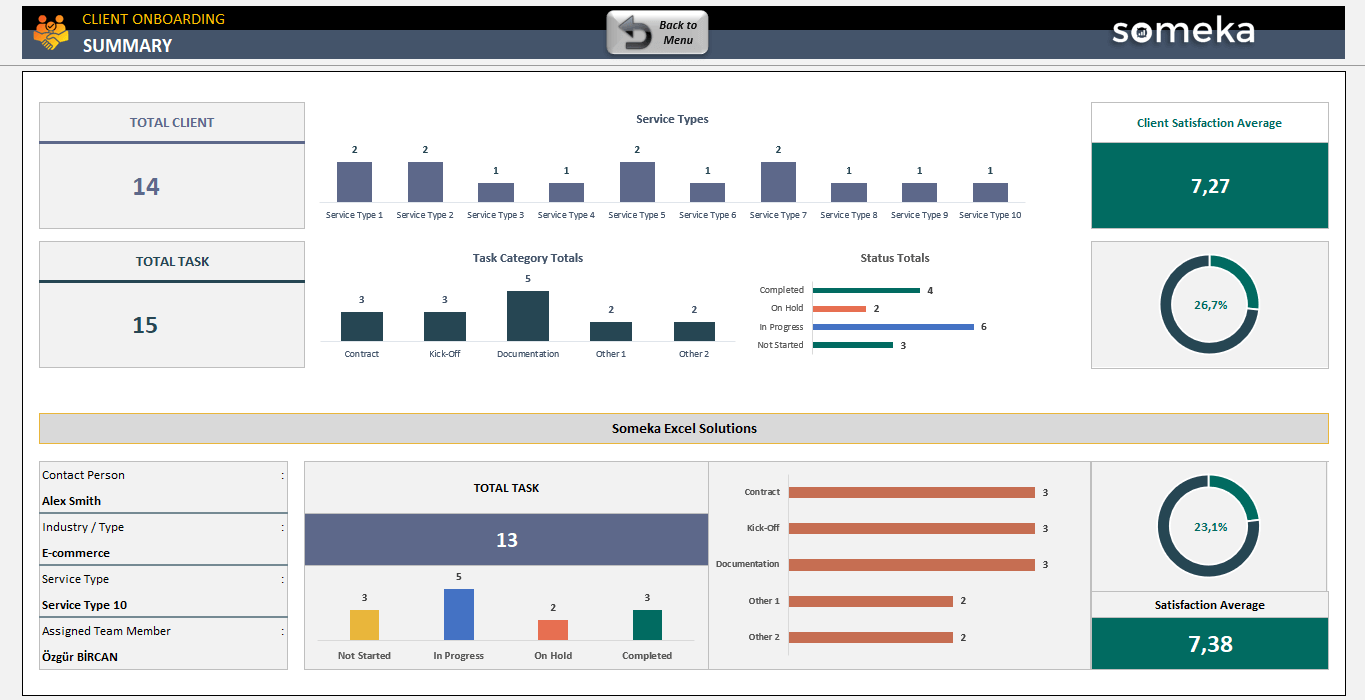
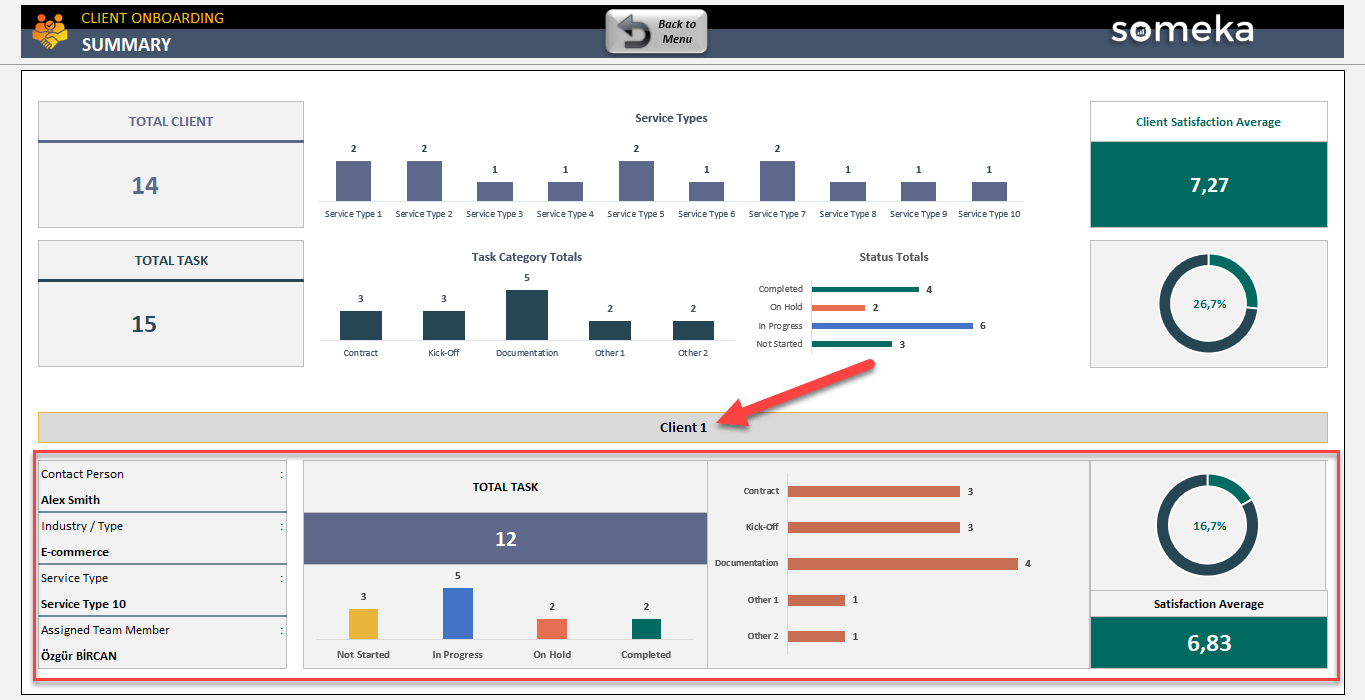
Chiefly, this summary section provides you a sleek-design dashboard to analyze your onboarding process.
Firstly, you’ll see an overall summary of your onboarding activities with charts based on Service Types, Task Categories and also Task Status.
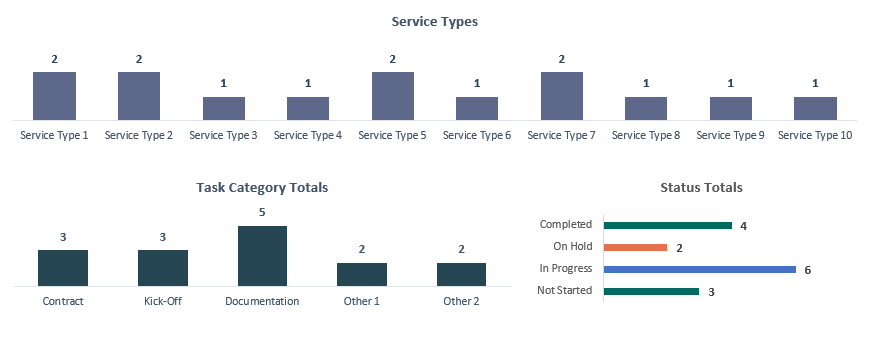
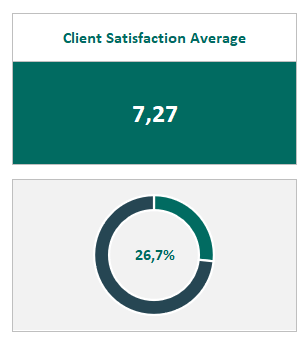
You’ll also be able to track Client Satisfaction Average to assess the quality of your customer services.
On the second section of your client onboarding excel template dashboard, you’ll find a client-based summary. Just select the client from the list and all relevant information will automatically populate:
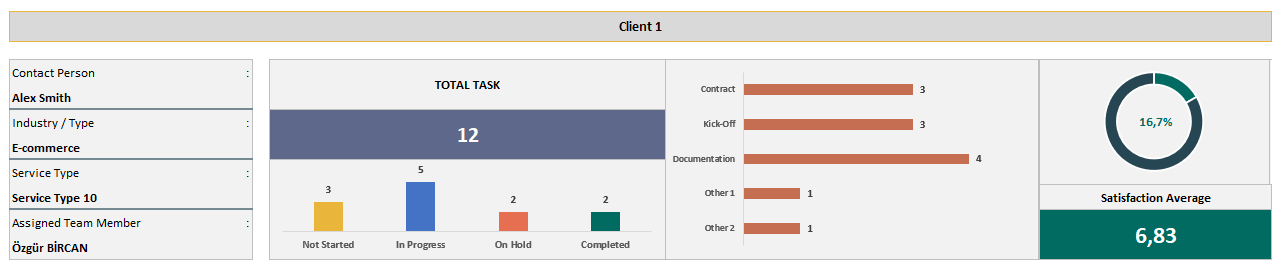
So, you can see the basic information such as Contact Person, Industry Type, Service Type and also Assigned Team Member. Furthermore you’ll see below analysis for the selected client:
- Total task number
- Task chart by status
- Task distribution by category
- Task completion rate
- Client satisfaction score
That’s all. Download your ready file and start managing your customer orientation process effectively.
Client Onboarding Excel Template Features Summary:
- Customer onboarding spreadsheet
- All-in-one file to track customer orientation operations
- Task log with highlights
- Summary dashboard included
- Professional and result-oriented
- Flexible and editable
- No installation, no setup
- Works both on Mac and Windows
- Compatible with Excel 2010 and later versions
- Does not include any VBA macros
FREQUENTLY ASKED QUESTIONS
Client Onboarding Excel Template Product FAQ
A client onboarding Excel template is a structured spreadsheet that helps businesses systematically collect, organize, and track essential information when bringing new clients into their service or product ecosystem. It typically includes client contact details, project requirements, contract information, milestone tracking, and task checklists to ensure a smooth and professional onboarding experience that sets the foundation for long-term client relationships.
To create a client onboarding template in Excel:
- Set up columns for client name, onboarding start date, current stage, assigned team member, next action required, due date, and completion status.
- Use dropdown menus for standardized stages like “Contract Sent,” “Information Gathering,” “Setup Complete,” and “Active Client.”
- Add conditional formatting to highlight overdue tasks and use formulas to calculate days in each stage and overall onboarding duration.
This template supports up to 100 clients as is. But all our templates are editable and modifiable. So you can insert more rows for additional customers.
The ideal client onboarding timeline varies by industry and service complexity, but most successful onboarding processes take between 1-4 weeks. Simple services might complete onboarding in 3-5 days, while complex B2B relationships or enterprise clients may require 30-60 days. Your Excel template should track expected versus actual timelines to identify bottlenecks and continuously improve your process efficiency.
Track key metrics in your Excel template including time to complete onboarding, client satisfaction scores, completion rate of onboarding tasks, and team member efficiency. Your dashboard will help you assess your success of your overall and customer-based onboarding process.
USER REVIEWS & COMMENTS
You must be logged in to post a review.
RELATED TEMPLATES
-
 This product has multiple variants. The options may be chosen on the product page
CRM Excel Templates Bundle
$149.95 – $299.95Bundle pack for CRM Templates in Excel. All uniquely designed, printable, professional spreadsheets for customer support. Ready for use.
-
This product has multiple variants. The options may be chosen on the product page
CRM Google Sheets Template
$39.95 – $79.95Customer Relationship Management tool in Google Sheets. Organize contacts, leads, and deals in one place. With printable calendar and kanban board.
-
This product has multiple variants. The options may be chosen on the product page
Customer Database Excel Template
$34.95 – $69.95Client dashboard in Excel. Track and analyze your customer data with interactive charts and filters. No installation needed. Ready to use.
-
This product has multiple variants. The options may be chosen on the product page
Invoice Tracker Excel Template
$29.95 – $59.95Invoice Tracker is a record-keeping Excel Template for business owners to track invoices and payments. Fully print-ready and easy to use.
-
This product has multiple variants. The options may be chosen on the product page
AdSense Ad Revenue Calculator Excel Template
$24.95 – $49.95Spreadsheet to calculate Google AdSense earnings. Printable and simple Excel template for ad revenues. Ready for use. Industry benchmarks included.
-
This product has multiple variants. The options may be chosen on the product page
Startup Google Sheets Templates Bundle
$199.95 – $399.95Startup Google Sheets Template. A complete toolkit for startups to run daily business. Ready-to-use online files with access from all devices.


Reviews
There are no reviews yet.